PORSCHE PLAY Promo Code Entry: Where to Input Codes and Common Mistakes
PORSCHE PLAY Promo Code Entry: Where to Input Codes and Common Mistakes
PORSCHE PLAY offers promo codes for bonuses on deposits, free spins, and cashback. Many players copy a code and paste it, expecting the bonus to appear automatically—but codes can fail because of where they're entered, formatting mistakes, or missed opt-in steps. This guide walks through the exact code entry points on PORSCHE PLAY, common errors that block bonuses, and what to do when a valid code doesn't credit.
This is an independent guide for players aged 21 and over. PORSCHE PLAY is an online casino and sportsbook for the Philippines. Always set deposit limits, and if betting feels like a problem, reach out to support or a responsible gambling service.
Where PORSCHE PLAY Players Enter Promo Codes During Deposit or Registration
PORSCHE PLAY provides two main entry points for promo codes: during registration and at the deposit screen. The location depends on the type of bonus the code unlocks.
Registration Promo Code Field
Some PORSCHE PLAY promo codes are designed for new accounts only. These codes typically unlock a welcome bonus or first-deposit match. During sign-up, after entering a mobile number and creating a password, players will see an optional field labeled "Promo Code" or "Referral Code." This field appears before confirming the account.
If the code is meant for new players, it must go into that registration field. Entering the same code later at deposit will not work—the system flags the account as already created, and the new-player code becomes invalid.
Deposit Screen Promo Code Field
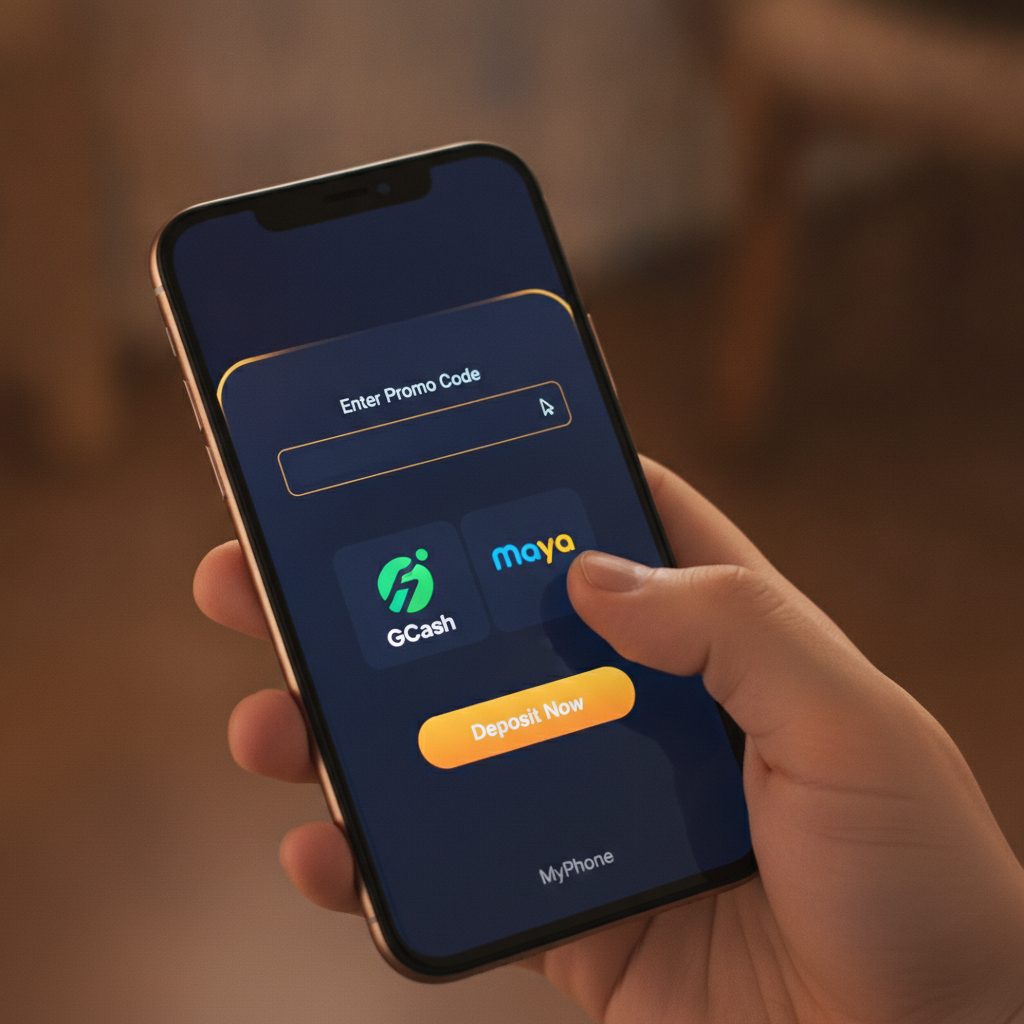
Most PORSCHE PLAY promo codes are used at deposit. After logging in, players navigate to the cashier or deposit section, select a payment method (GCash, Maya, InstaPay, or PESONet), and enter the amount in pesos. Before confirming, a promo code box appears, usually labeled "Enter Promo Code" or "Bonus Code."
This is where reload codes, cashback codes, and free-spin codes are entered. The field is often collapsed or tucked under a "Have a promo code?" dropdown, so players who scroll quickly may miss it. Always expand that section and type or paste the code before hitting the deposit button.
Codes Tied to Specific Promotions
Some PORSCHE PLAY bonuses require players to opt in from a promotions page first, then enter a code at deposit. For example, a weekend reload offer might ask players to click "Claim" on the promo banner, which flags the account for that bonus. After opting in, the code must still be entered in the deposit screen for the system to apply the match or free spins.
Skipping either step—opting in or entering the code—means the bonus won't credit, even if the code itself is valid.
Case-Sensitivity and Spacing Issues That Cause Code Errors
Promo codes on PORSCHE PLAY are typically case-sensitive and format-specific. A code shown as PLAY100 must be entered exactly that way. Typing play100 or Play100 may return an "Invalid code" error, even though the letters are the same.
Extra Spaces Before or After the Code
When copying a promo code from a message, social media post, or website, hidden spaces often come along. Pasting " PLAY100 " (with spaces at the start or end) will cause the system to reject the code. The platform reads the space as part of the code string, so it no longer matches the database entry.
Before submitting, double-check that no space sits before the first letter or after the last character. Retyping the code manually instead of pasting can eliminate this issue.
Dashes, Underscores, and Special Characters
Some PORSCHE PLAY promo codes include dashes (e.g., PLAY-100) or underscores (e.g., PLAY_100). Omitting or swapping these characters will trigger an error. If the official code is PLAY-100, typing PLAY100 won't work.
Always compare the code character-by-character against the source. If PORSCHE PLAY shared the code in an email or SMS, copy it directly rather than retyping from memory.
Expiry and Single-Use Limits
A code that worked last week may show as invalid today because it expired. PORSCHE PLAY promo codes often carry time limits—daily codes expire at midnight Manila time, weekly codes reset on Mondays, and event-based codes end when the promotion closes.
Single-use codes can only be claimed once per account. Entering the same code a second time will return an error, even if the format is correct. Check the promotion terms to confirm whether the code is reusable or one-time only.
Opt-In Requirements: Ticking Bonus Boxes or Contacting Support First
Not all PORSCHE PLAY bonuses activate with a code alone. Some require an extra opt-in step before deposit or a manual request to support.
Bonus Opt-In Checkboxes
When entering a promo code at the deposit screen, a checkbox labeled "I want to claim this bonus" or "Apply bonus" may appear below the code field. If that box is left unticked, the deposit will process without the bonus, even though the code was entered correctly.
After typing the code, scroll down to confirm that any opt-in box is checked. The system treats an unchecked box as a signal that the player wants to deposit without a bonus—useful for players who need to meet wagering requirements on an existing bonus and don't want a new one to interfere.
Promotions Page Activation
PORSCHE PLAY sometimes runs limited-time offers that require players to visit the Promotions or Bonuses section, find the relevant banner, and click "Claim" or "Activate." This flags the account in the backend. The next deposit (with or without a code, depending on the offer) will then credit the bonus.
If a player skips the activation step and goes straight to deposit with the code, the bonus may not appear. Always read the promotion's full instructions—if it says "Opt in first," do that before moving to the cashier.
Contacting Support for VIP or Custom Codes
Certain PORSCHE PLAY promo codes are issued by the VIP team or customer support for specific players. These codes may not work until support manually attaches them to the account. If a code was sent via live chat or email, confirm with the agent that the code is active and ready to use.
For referral codes or affiliate-linked bonuses, the system may need a few minutes to sync the code. Entering it immediately after receiving it can result in an error. Wait five to ten minutes, refresh the deposit page, then try again.
What to Do If a Valid Code Doesn't Apply or Bonus Doesn't Credit
Even when a code is entered correctly, bonuses sometimes fail to credit. Here's how to troubleshoot.
Verify the Code Matches the Promotion
Double-check that the code corresponds to the active promotion. PORSCHE PLAY may have multiple offers running at once—welcome bonuses, reload bonuses, cashback codes—and each has its own unique code. Using a reload code during registration, or a new-player code on a second deposit, will result in an error.
Cross-reference the code with the promotion's official page or the message where it was shared. If the terms say "Minimum deposit PHP 200" and the deposit was PHP 100, the bonus won't apply regardless of the code.
Check Deposit Amount and Payment Method
Some PORSCHE PLAY promo codes require a minimum deposit—commonly PHP 200, PHP 300, or PHP 500. Depositing below that threshold means the code won't activate.
Certain codes are also restricted to specific payment methods. A "GCash exclusive" code won't work if the deposit came through Maya or bank transfer. Review the promotion fine print to confirm eligibility.
Contact Customer Support with Code and Deposit Details
If the code is correct, the deposit meets the minimum, and all opt-in boxes were ticked, but the bonus still doesn't appear, contact PORSCHE PLAY support. Use live chat or email and provide:
- The exact promo code entered
- Date and time of deposit
- Deposit amount and payment method
- Screenshot of the code entry screen (if possible)
Support can check the transaction log and manually credit the bonus if the system missed it. Most issues are resolved within a few hours, though response times may be longer during weekends or major sporting events like PBA playoffs.
Bonus Crediting Delays
On PORSCHE PLAY, some bonuses credit instantly, while others take a few minutes to process—especially free spins or cashback offers tied to specific game providers. If the deposit went through but the bonus isn't showing in the account balance, wait up to fifteen minutes and refresh the page.
For cashback bonuses, the credit may not appear until the calculation period ends (e.g., weekly cashback posts on Monday morning). Always check the promotion's crediting timeline before assuming an error.
21+ Reminder and Responsible Gambling Note
PORSCHE PLAY is only for players aged 21 and over. Promo codes and bonuses can add value, but they come with wagering requirements and expiry rules that require careful reading. Never deposit more than planned just to qualify for a larger bonus.
If chasing bonuses or re-depositing to use promo codes becomes stressful, set a deposit limit in the account settings or take a break. For confidential support, reach out to a responsible gambling organization or PORSCHE PLAY's player protection team.